cliriculum





Create your CV/Resume with a simple Python CLI tool.
Installation
pip install cliriculum
Web Dependencies
Both are bundled in the package.
Structure
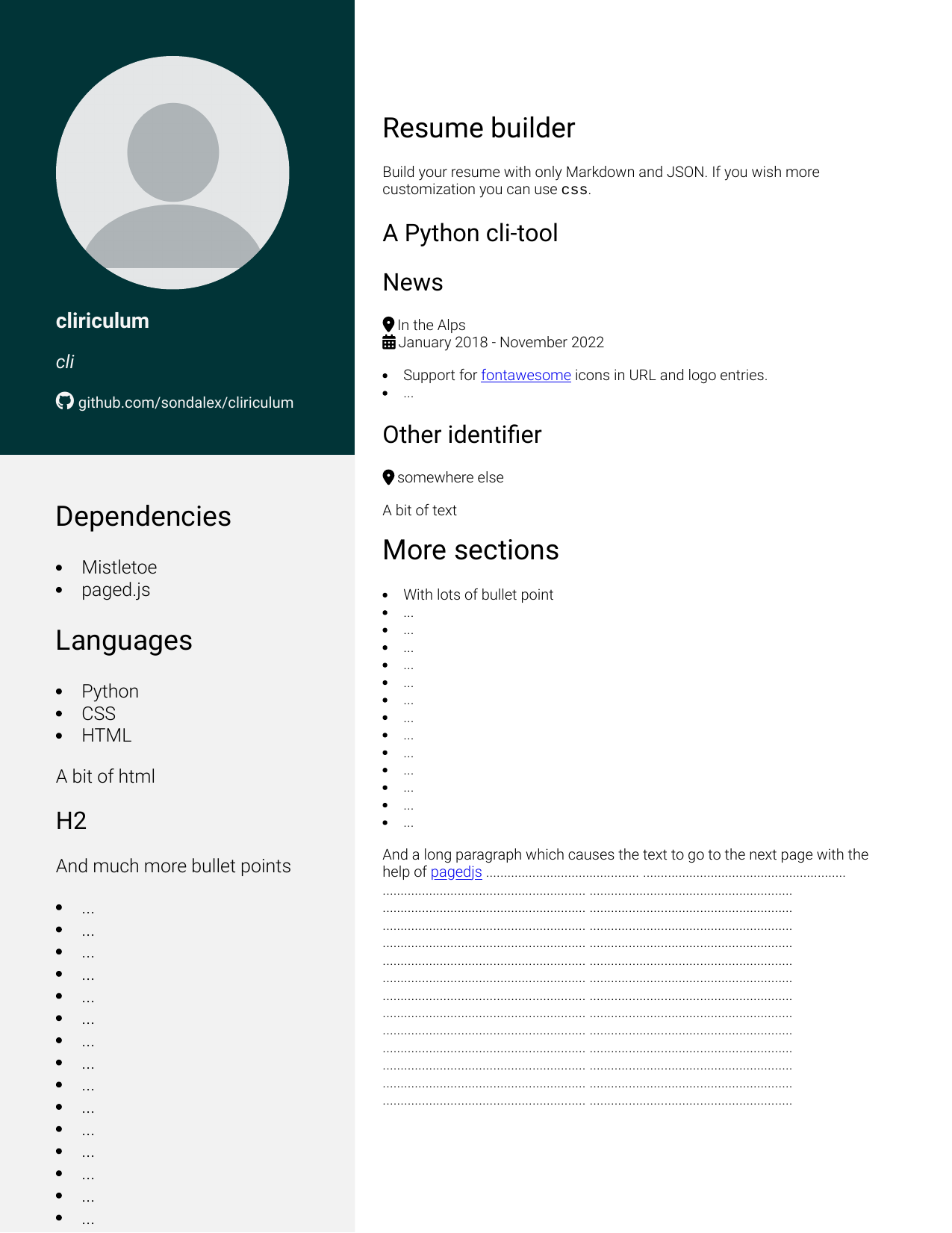
- Main: The right part of the page(s). Place where generally experiences, past jobs, past studies, … are displayed.
The content gets generated from Markdown file
--main=<your Markdown file> -
Sidebar: Place for brief description of your skills, your contact details etc. The sidebar is split in two parts: 1)
contact: gets generated from JSON file:--contact=<your JSON file for contact details>2)description: gets generated from markdown file--description=<your description.md>Sidebar supports one page only, however the colour is continued to next pages.
Additional metadata:
- dates.json: A JSON file with keys matching titles ids defining a start and end information. During rendering the dates are added to the top of the paragraph of the level two headings with matching id.
Heading ids are parsed uniquely for level two headings. Dates should be under the ISO 8601 format.
Markdown files are parsed with github.com/miyuchina/mistletoe. Metadata is added to Abstract Syntax tree representation before rendering to HTML.
JSON SPEC
Refer to documentation at cliriculum.deserializers to better understand
the implicit JSON structure, specially classes Contact and Dates.
Viewing
To view the HTML page a local server is necessary.
Indeed, modern web browsers disallow
loading CSS and js scripts from file:///*.
An error of the form Cross-Origin Request blocked is raised
for each file loading attempt.
Rendering
- Export to HTML
- Export to PDF (via browser or headless mode)
Cli
cliriculum --main="main.md" --description="sidebar.md" --contact="contact.json" --dates="dates.json"
Converting to PDF
Open with the generated HTML with your web browser
(Chromium based browsers recommended).
Run ctrl+p or cmd+p and print to PDF.
The HTML representation of the document relies
on paged.js a great library
intended to create PDF compatible HTML books.
Note: the content has to be distributed by a local server. See Viewing for why. Python solution:
# suppose you saved resume in resume directory (`cliriculum --destination=resume`)
cd resume/
python -m http.server --bind 127.0.0.1
Or set --pdf-output flag.
cliriculum --main="main.md" --description="sidebar.md" --contact="contact.json" --dates="dates.json" --pdf-output=output.pdf
Styling
You can modify style by modifying the generated style.css file. However, each time
you overwrite the resume, the modified style.css gets back to default.
To encounter this behaviour you can specify a secondary stylesheet.
cliriculum --main="main.md" --description="sidebar.md" --contact="contact.json" --dates="dates.json" --stylesheet="custom.css"
Example
An example can be viewed at example/index.html
Language support
English only.
Warning
No XSS injection prevention. Make sure to adopt good security practices if you wish to build a web service from this package.