User Guide#
An investment plan covers a time period. It has an associated portfolio. A portfolio includes a set of assets and their associated weights.
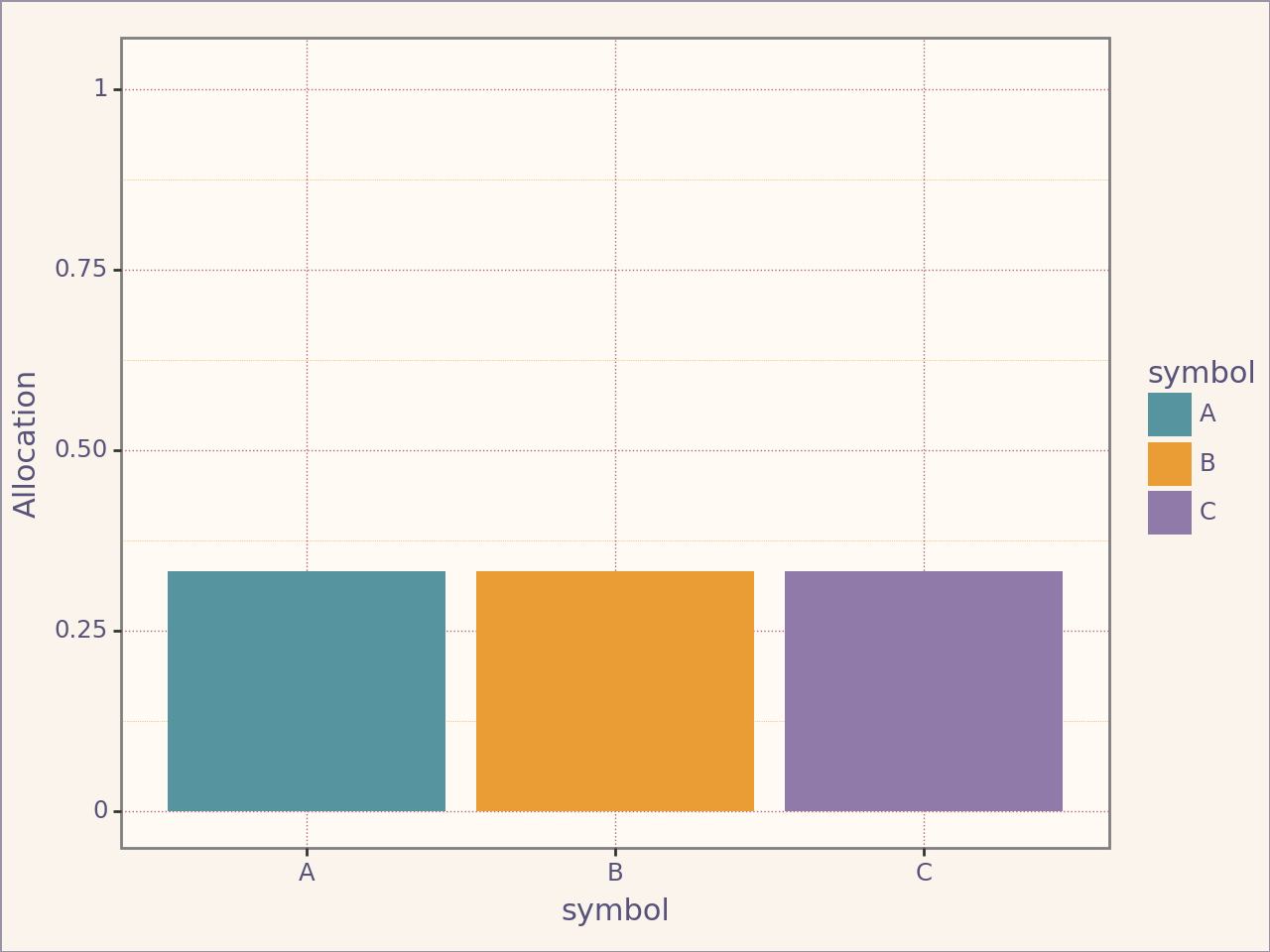
Let’s define our plan. We are interested in knowing what we would have earned if we invested equal weights in companies A, B and C. Starting on January up to today (2025-05-02).
Defining a Portfolio#
from portfolio_plan import Assets, Weights, Asset, Portfolio, Frequency
from portfolio_plan.resource import File
from portfolio_plan.data import example_prices_path


portfolio = Portfolio(
    assets=Assets(
        [Asset("A"), Asset("B"), Asset("C")],
        resource=File(path=example_prices_path(), frequency=Frequency.BDAILY),
    ),
    name="Portfolio",
    weights=Weights(),  # No parameter means equal weights across assets
)
portfolio.plot_allocation()
<Figure Size: (640 x 480)>
Defining a Plan#
from portfolio_plan import Plan
from datetime import datetime


plan1 = Plan(
    portfolio=portfolio,
    start_date=datetime.strptime("2025-01-30", "%Y-%m-%d"),
    end_date=datetime.strptime("2025-03-01", "%Y-%m-%d"),
)
plan1
------------------------------------------------------------
| Plan for period 2025-01-30 00:00:00, 2025-03-01 00:00:00 |
------------------------------------------------------------
| A                                                        |
------------------------------------------------------------
| B                                                        |
------------------------------------------------------------
| C                                                        |
------------------------------------------------------------
Returns#
Individual Returns#
returns = plan1.returns(portfolio.name) # Returns object
returns
-----------------------------------------------------------------
| Returns for period 2025-01-30 00:00:00 to 2025-02-28 00:00:00 |
-----------------------------------------------------------------
| A                                                             |
-----------------------------------------------------------------
| B                                                             |
-----------------------------------------------------------------
| C                                                             |
-----------------------------------------------------------------
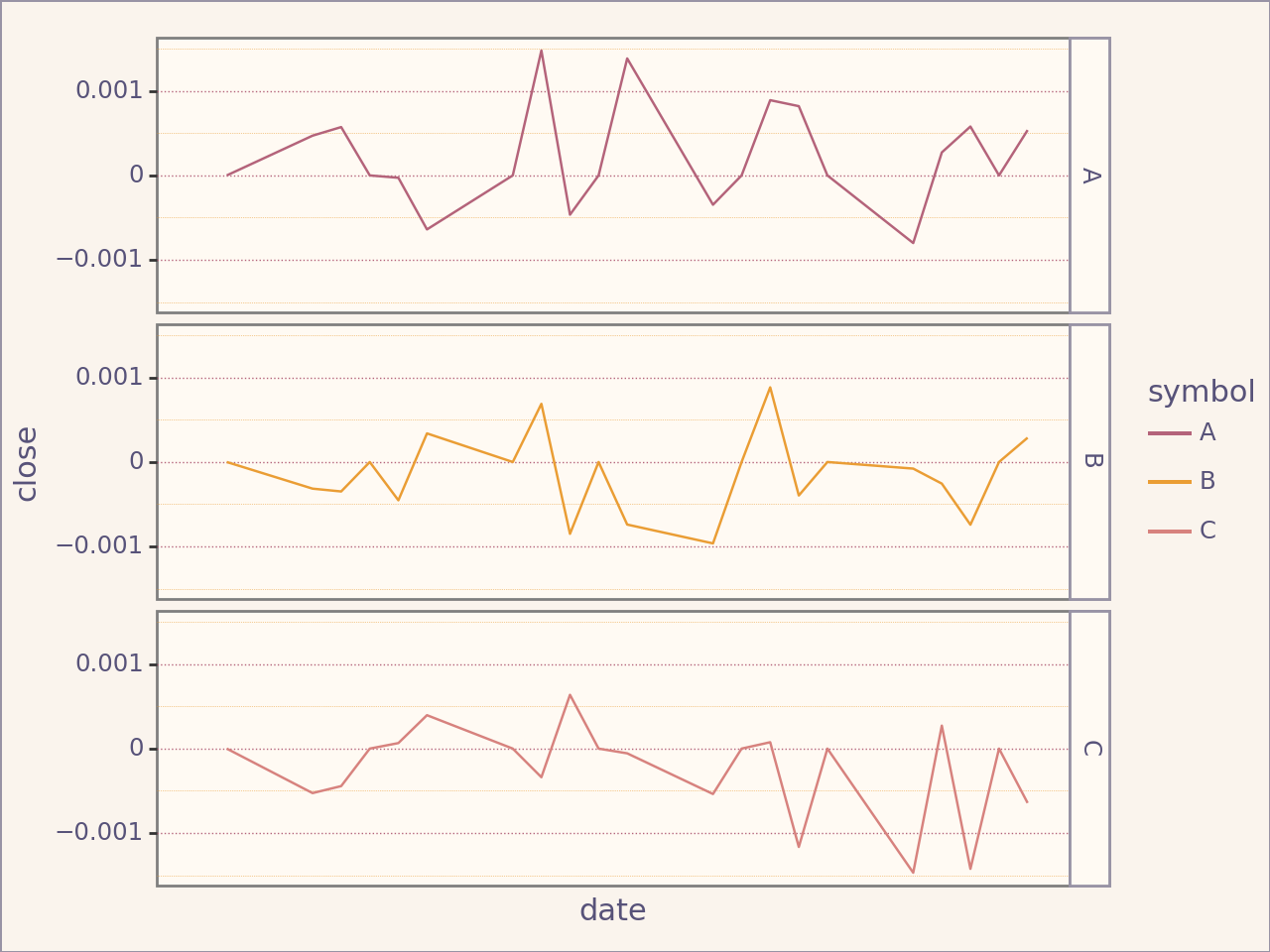
If we wish to plot the returns:
returns.plot_close()
/home/runner/work/portfolio-plan/portfolio-plan/.venv/lib/python3.10/site-packages/plotnine/geoms/geom_path.py:98: PlotnineWarning: geom_path: Removed 1 rows containing missing values.
<Figure Size: (640 x 480)>
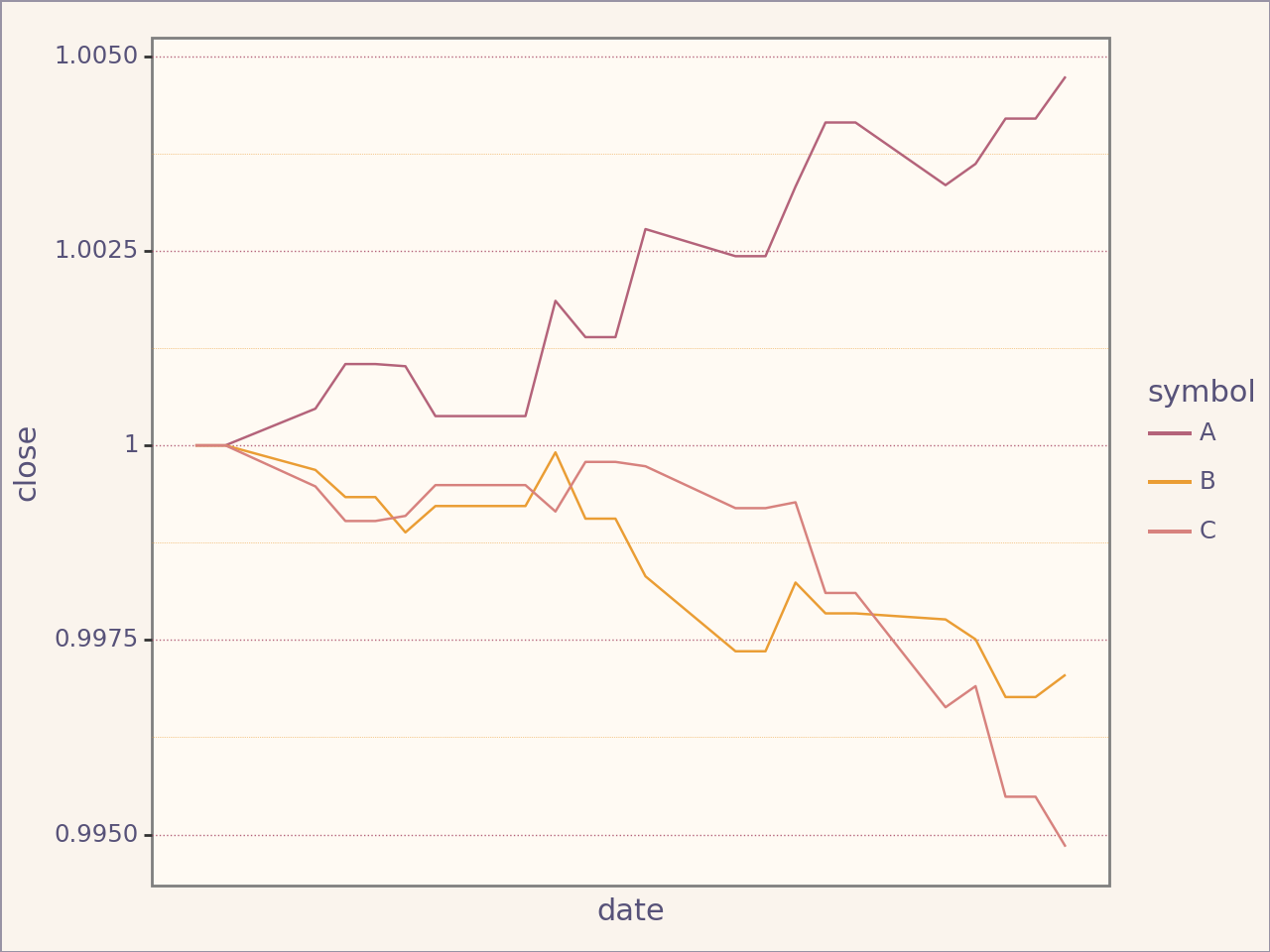
Or the cumulative returns:
cumulative_returns = returns.cumulative("Cumulative")
cumulative_returns.plot_close()
<Figure Size: (640 x 480)>
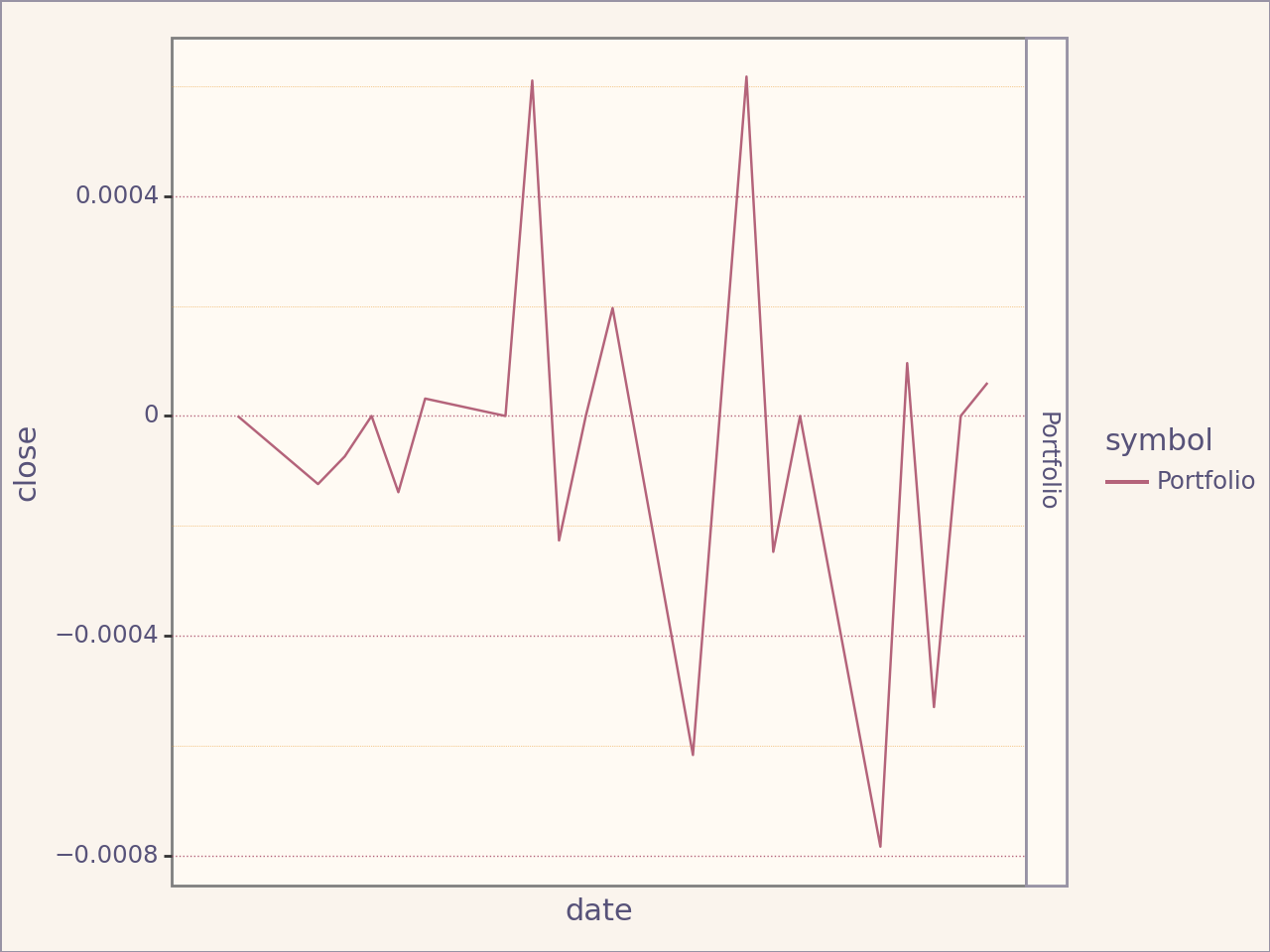
Portfolio Returns#
portfolio_returns1 = plan1.portfolio_returns()
portfolio_returns1.plot_close()
/home/runner/work/portfolio-plan/portfolio-plan/.venv/lib/python3.10/site-packages/plotnine/geoms/geom_path.py:98: PlotnineWarning: geom_path: Removed 1 rows containing missing values.
<Figure Size: (640 x 480)>
Cumulative Portfolio Returns:
cumulative_portfolio_returns1 = portfolio_returns1.cumulative("Cumulative")
cumulative_portfolio_returns1.plot_close()
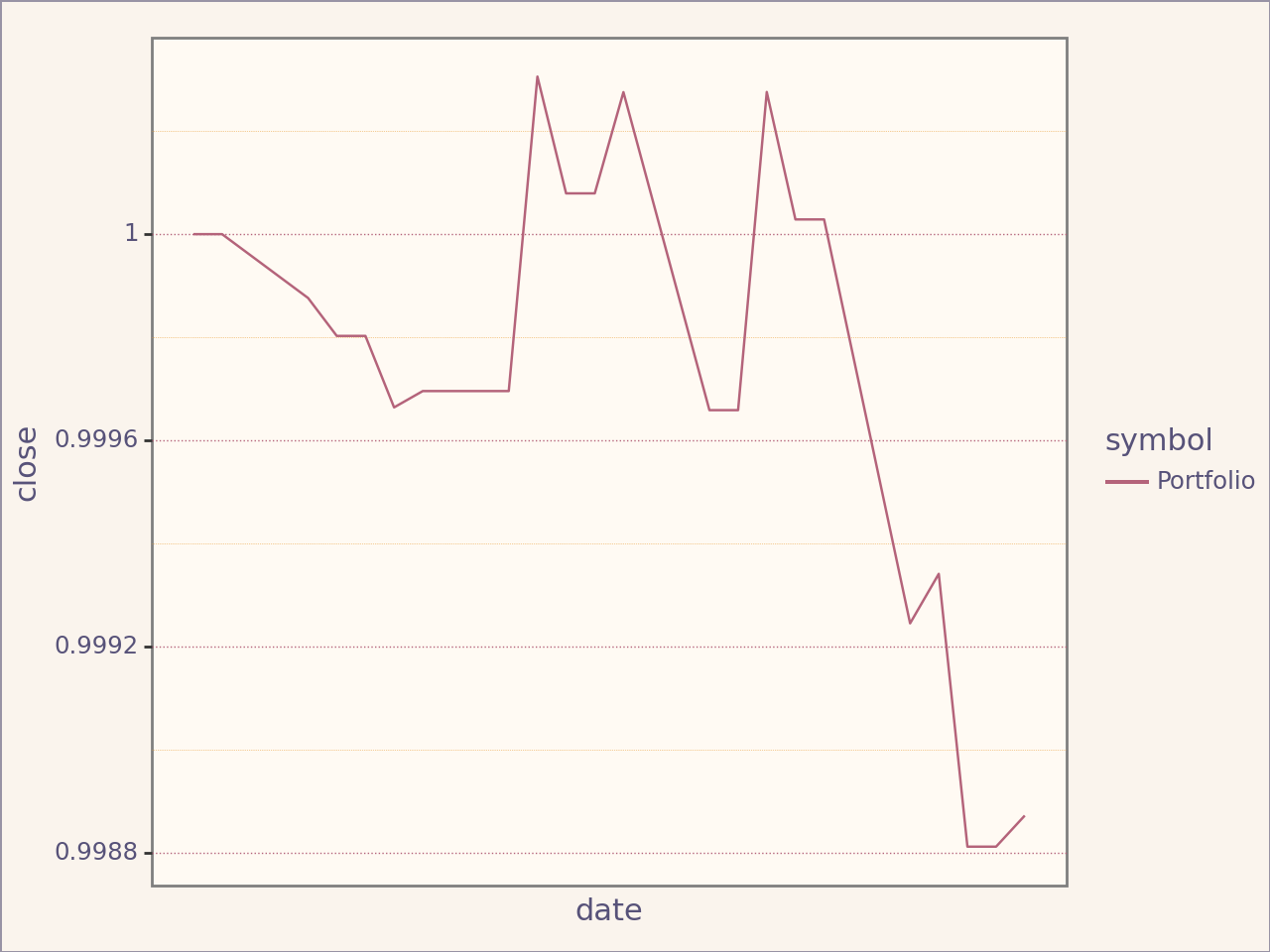
<Figure Size: (640 x 480)>
Combining plans#
You might be interested in the joined returns of two investment plan happening at different timeframe.
plan2 = Plan(
    portfolio = portfolio,
    start_date = datetime.strptime("2025-03-02", "%Y-%m-%d"),
    end_date = datetime.strptime("2025-05-05", "%Y-%m-%d")
)
print(plan1)
print(plan2)
------------------------------------------------------------
| Plan for period 2025-01-30 00:00:00, 2025-03-01 00:00:00 |
------------------------------------------------------------
| A                                                        |
------------------------------------------------------------
| B                                                        |
------------------------------------------------------------
| C                                                        |
------------------------------------------------------------
------------------------------------------------------------
| Plan for period 2025-03-02 00:00:00, 2025-05-05 00:00:00 |
------------------------------------------------------------
| A                                                        |
------------------------------------------------------------
| B                                                        |
------------------------------------------------------------
| C                                                        |
------------------------------------------------------------
portfolio_returns2 = plan2.portfolio_returns()
cumulative_portfolio_returns2 = portfolio_returns2.cumulative("Cumulative")
The >> operator enables easy creation of joined plan.
joinedplan = plan1 >> plan2
joinedplan
                                                           ┌────────────┐
                                                           │ JoinedPlan │
                                                           └──────┬─────┘
                                                                  │
                                ┌─────────────────────────────────┴─────────────────────────────────┐
┌───────────────────────────────┴──────────────────────────────┐    ┌───────────────────────────────┴──────────────────────────────┐
│ ------------------------------------------------------------ │    │ ------------------------------------------------------------ │
│ | Plan for period 2025-01-30 00:00:00, 2025-03-01 00:00:00 | │    │ | Plan for period 2025-03-02 00:00:00, 2025-05-05 00:00:00 | │
│ ------------------------------------------------------------ │    │ ------------------------------------------------------------ │
joinedplan.plot_allocations()
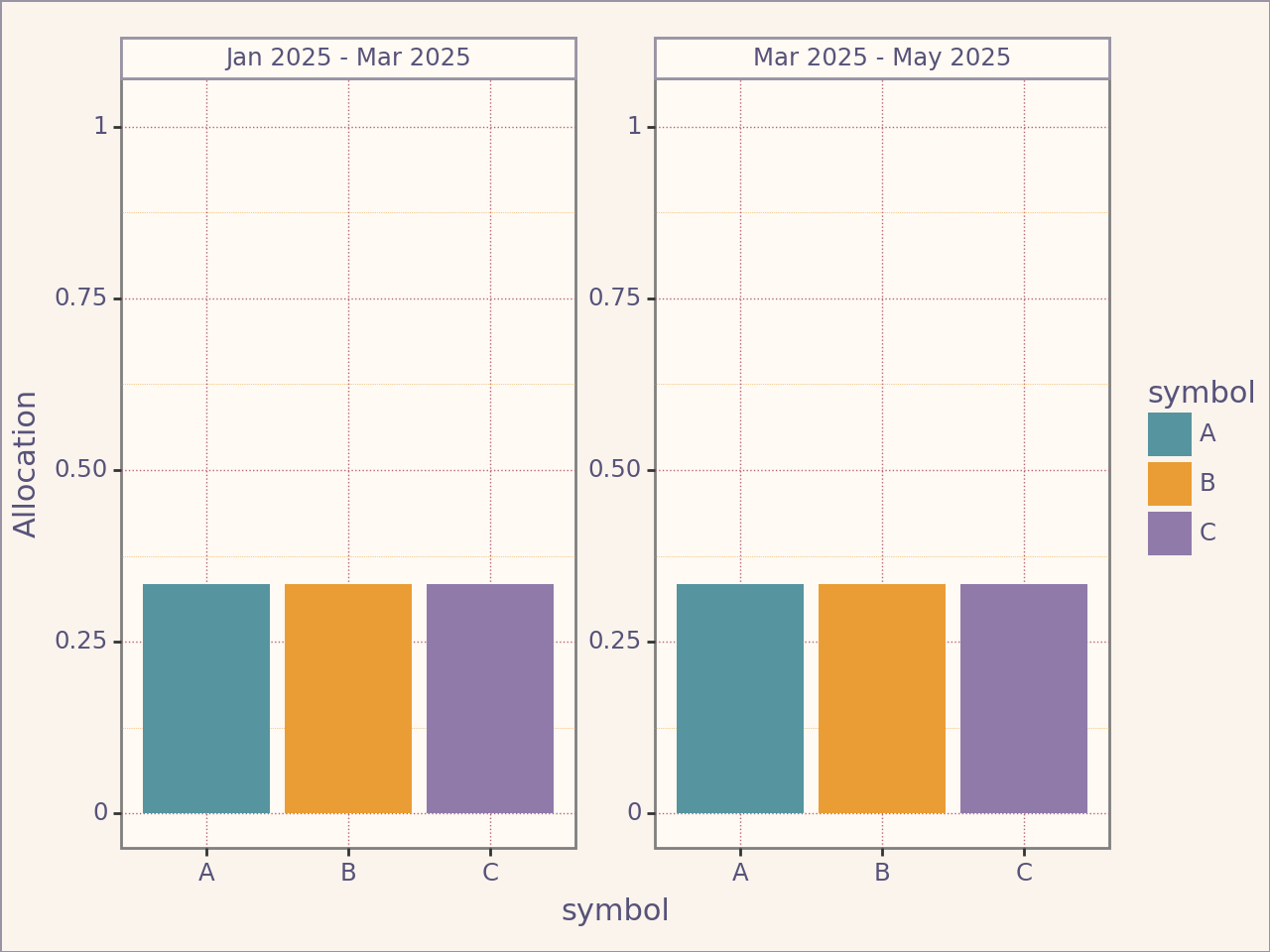
<Figure Size: (640 x 480)>
Note: Plans have to be placed by order of timeframe, otherwise an error will be raised.
from portfolio_plan.errors import PeriodOverlapError


try:
    plan2 >> plan1
except PeriodOverlapError as e:
    print(e)
Plans can not overlap in time period and must be ordered by time period
Interested in what is the return on investment of a joined plan ?
joinedplan_cumulative_returns = joinedplan.portfolio_cumulative_returns("Joined Plan")
joinedplan_cumulative_returns.data
| CumulativeReturns | open | close | high | low | |
|---|---|---|---|---|---|
| symbol | date | ||||
| Portfolio | 2025-01-30 | 1.000000 | 1.000000 | 1.000000 | 1.000000 |
| 2025-01-31 | 1.000000 | 1.000000 | 1.000000 | 1.000000 | |
| 2025-02-03 | 0.999746 | 0.999876 | 0.999939 | 0.999918 | |
| 2025-02-04 | 0.999591 | 0.999803 | 0.999903 | 0.999870 | |
| 2025-02-05 | 0.999591 | 0.999803 | 0.999903 | 0.999870 | |
| ... | ... | ... | ... | ... | |
| 2025-04-29 | 1.001401 | 1.000794 | 1.000421 | 1.000551 | |
| 2025-04-30 | 1.001095 | 1.000649 | 1.000350 | 1.000456 | |
| 2025-05-01 | 1.000904 | 1.000531 | 1.000286 | 1.000372 | |
| 2025-05-02 | 1.000904 | 1.000531 | 1.000286 | 1.000372 | |
| 2025-05-05 | 1.000310 | 1.000239 | 1.000141 | 1.000179 |
68 rows × 4 columns
joinedplan_cumulative_returns.data.loc["Portfolio"].head()
| CumulativeReturns | open | close | high | low |
|---|---|---|---|---|
| date | ||||
| 2025-01-30 | 1.000000 | 1.000000 | 1.000000 | 1.000000 |
| 2025-01-31 | 1.000000 | 1.000000 | 1.000000 | 1.000000 |
| 2025-02-03 | 0.999746 | 0.999876 | 0.999939 | 0.999918 |
| 2025-02-04 | 0.999591 | 0.999803 | 0.999903 | 0.999870 |
| 2025-02-05 | 0.999591 | 0.999803 | 0.999903 | 0.999870 |
from plotnine import scale_x_datetime


(
    joinedplan_cumulative_returns.plot_close(scale_x=False) + # Define scale manually
    scale_x_datetime(date_breaks="1 week", date_labels="%Y-%m-%d")
)
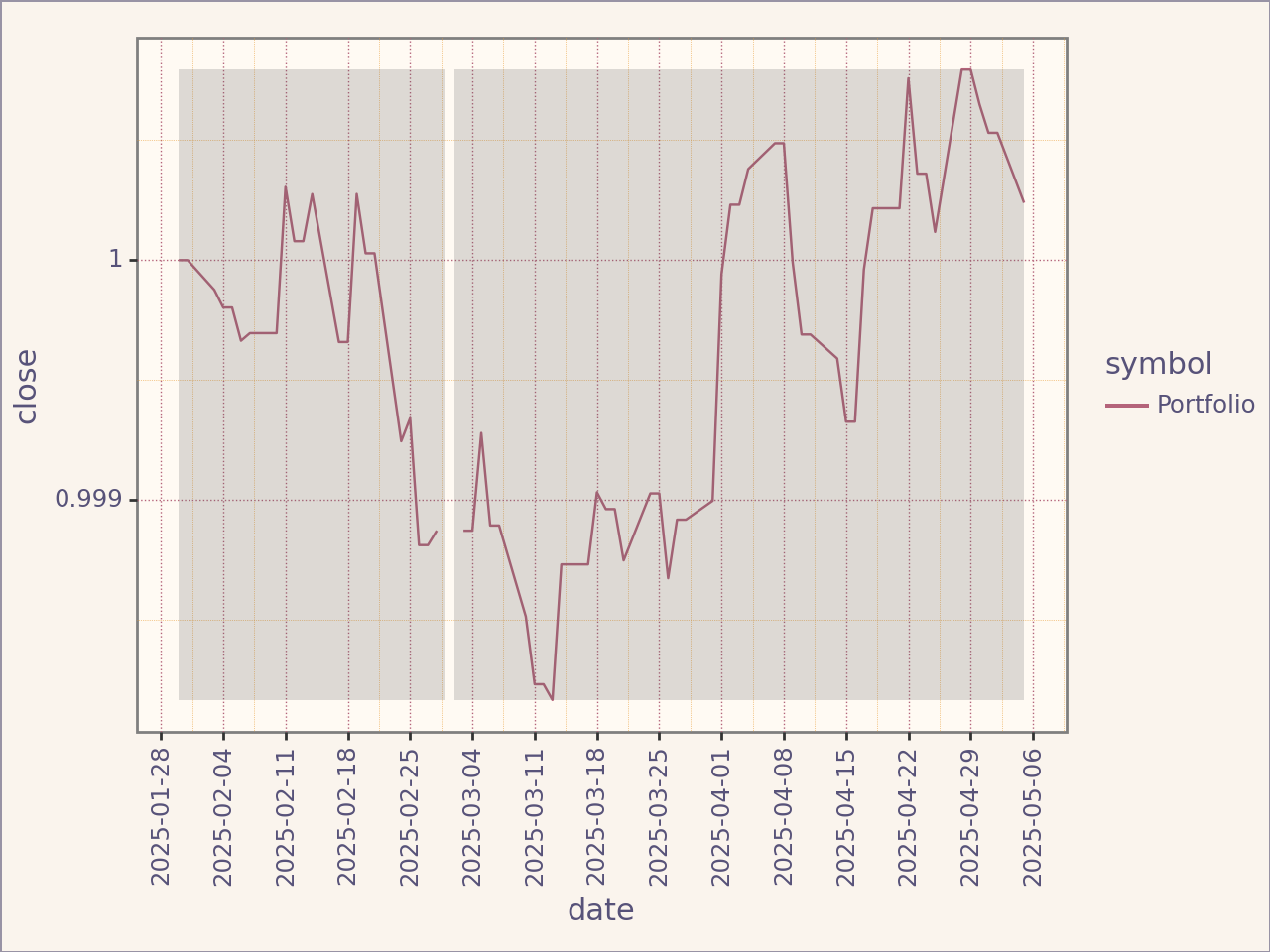
<Figure Size: (640 x 480)>
Comparing FinancialSeries#
You might want to compare each returns, prices
Prices#
from portfolio_plan.financialseries import Comparison


comparison = Comparison(
    [plan1.prices(), plan2.prices()]
)
(
    comparison.plot_close(scale_x=False)
    + scale_x_datetime(date_breaks="1 week", date_labels="%Y-%m-%d")
)
/home/runner/work/portfolio-plan/portfolio-plan/.venv/lib/python3.10/site-packages/plotnine/layer.py:364: PlotnineWarning: geom_text : Removed 65 rows containing missing values.
/home/runner/work/portfolio-plan/portfolio-plan/.venv/lib/python3.10/site-packages/plotnine/layer.py:364: PlotnineWarning: geom_text : Removed 137 rows containing missing values.
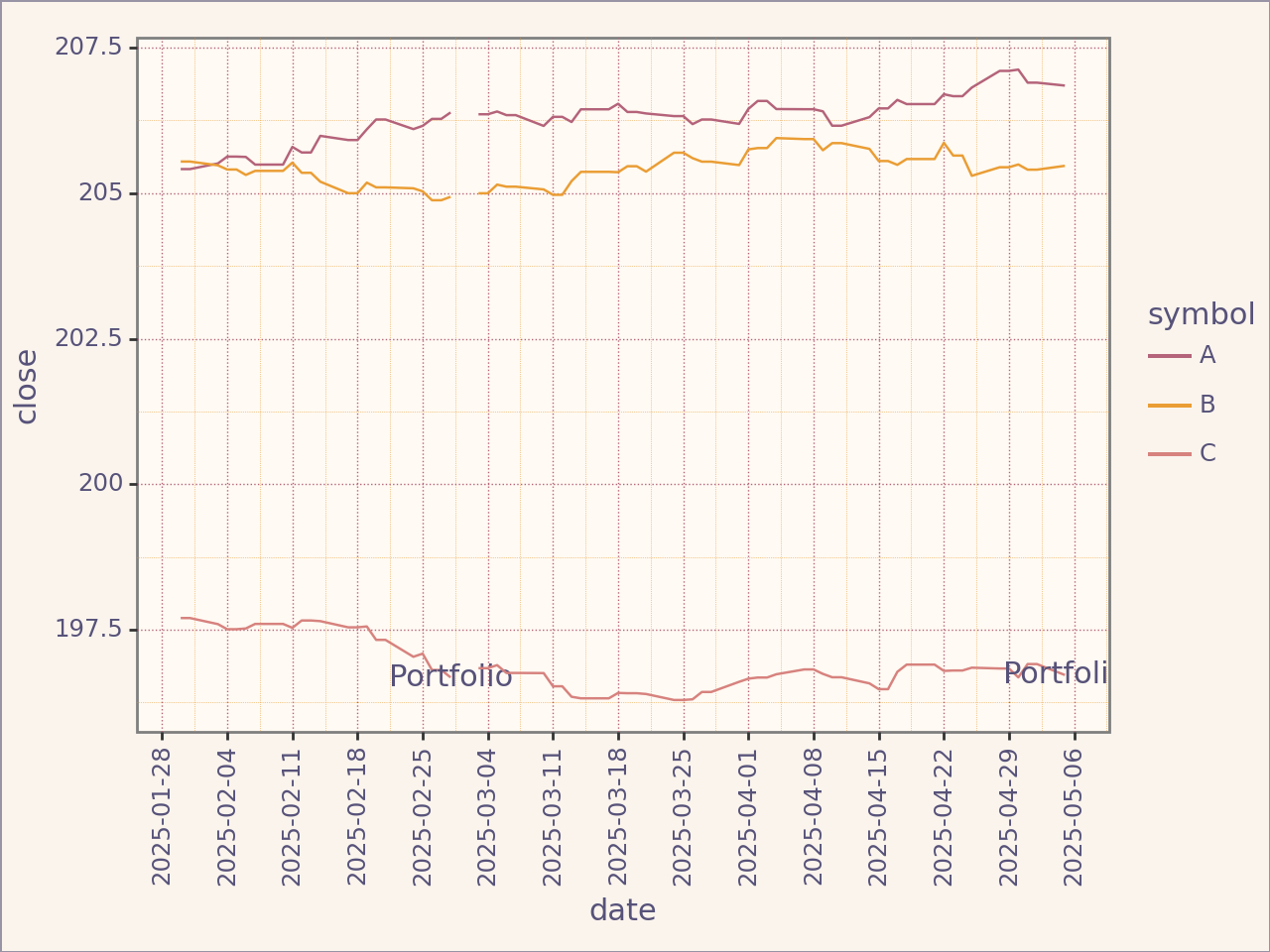
<Figure Size: (640 x 480)>
Returns#
Instead of comparing prices, you want to compare returns. You may want to look at how your strategy differs with an index fund for example
Non-Cumulative#
# NOT YET IMPLEMENTED
Cumulative#
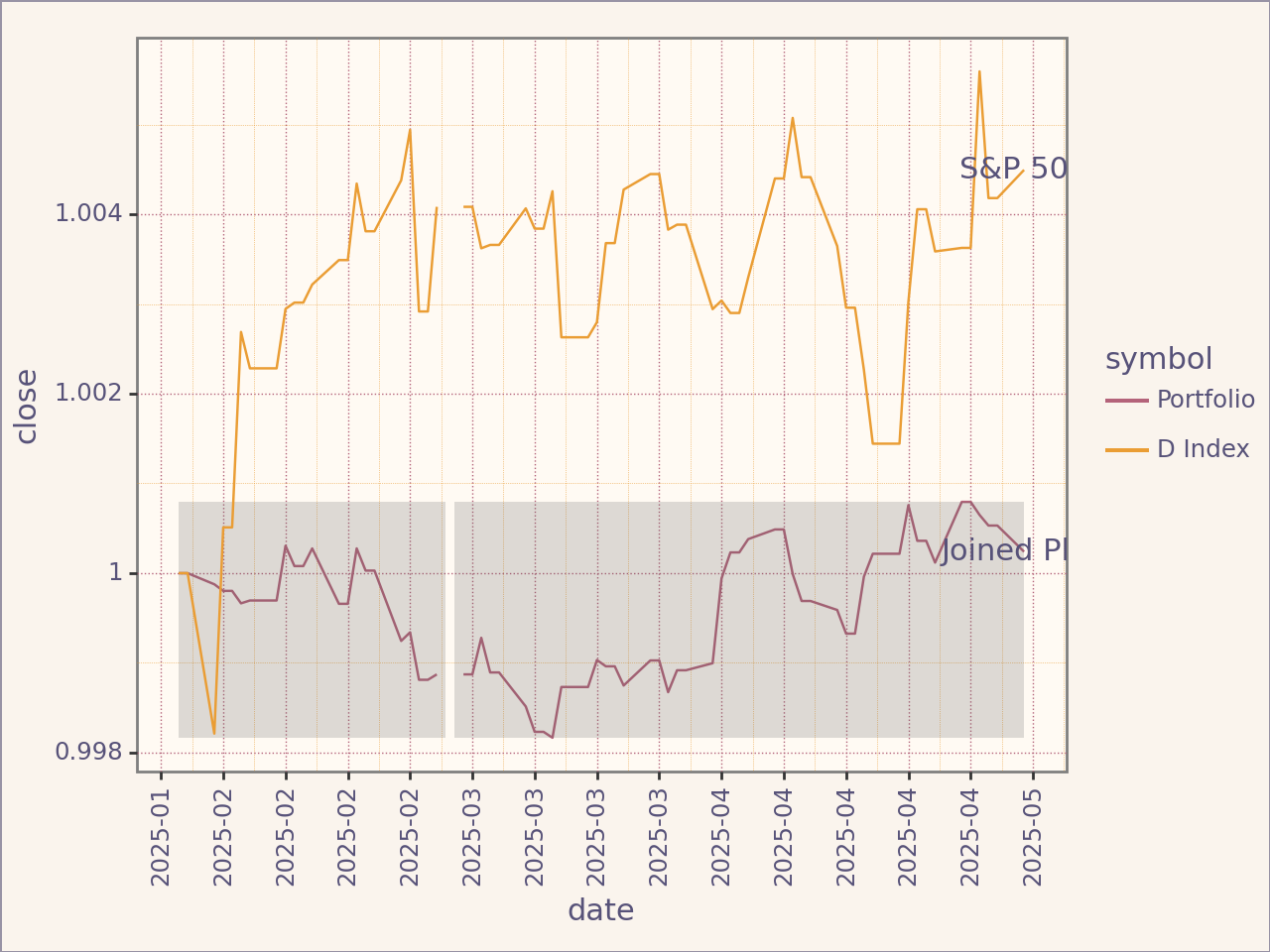
We start by defining the benchmark plan (note that this is only necessary for multiple period investments).
from portfolio_plan.financialseries import Comparison


assets = Assets(
    [Asset("^D")],
    resource=File(path=example_prices_path(), frequency=Frequency.BDAILY),
)

benchmark = Portfolio(
    assets=assets,
    weights=Weights(),
    name="D Index"
)
benchmark_plan_1 = Plan(
    portfolio=benchmark,
    start_date=datetime.strptime("2025-01-30", "%Y-%m-%d"),
    end_date=datetime.strptime("2025-03-01", "%Y-%m-%d"),
)

benchmark_plan_2 = Plan(
    portfolio = benchmark,
    start_date = datetime.strptime("2025-03-02", "%Y-%m-%d"),
    end_date = datetime.strptime("2025-05-05", "%Y-%m-%d")
)

benchmark_joined = benchmark_plan_1 >> benchmark_plan_2
comparison = Comparison(
    [
        joinedplan.portfolio_cumulative_returns("Joined Plan"),
        benchmark_joined.portfolio_cumulative_returns("S&P 500")
    ]
)

(
    comparison.plot_close(scale_x=False) +
    scale_x_datetime(date_breaks="1 week", date_labels="%Y-%m")
)
/home/runner/work/portfolio-plan/portfolio-plan/.venv/lib/python3.10/site-packages/plotnine/layer.py:364: PlotnineWarning: geom_text : Removed 67 rows containing missing values.
/home/runner/work/portfolio-plan/portfolio-plan/.venv/lib/python3.10/site-packages/plotnine/layer.py:364: PlotnineWarning: geom_text : Removed 67 rows containing missing values.
<Figure Size: (640 x 480)>
Information Ratio#
It is possible to calculate the information ratio between two plan. Since each ratio corresponds to a specific investment plan, no annualization is performed. Plans must have the same starting period or ending period.
from portfolio_plan.ratios import InformationRatio


ir = InformationRatio(plan1, benchmark_plan_1)
ir_returns1 = ir.period_returns()  # Returns a singleton dataframe
assert ir_returns1.is_singleton
ir_returns1
-----------------------------------------------------------------
| Returns for period 2025-02-28 00:00:00 to 2025-02-28 00:00:00 |
-----------------------------------------------------------------
| IR: Portfolio-D Index                                         |
-----------------------------------------------------------------
ir = InformationRatio(plan2, benchmark_plan_2)
ir_returns2 = ir.period_returns()
assert ir_returns2.is_singleton
ir_returns2
-----------------------------------------------------------------
| Returns for period 2025-05-05 00:00:00 to 2025-05-05 00:00:00 |
-----------------------------------------------------------------
| IR: Portfolio-D Index                                         |
-----------------------------------------------------------------
ir_returns1.data
| open | low | high | close | ||
|---|---|---|---|---|---|
| symbol | date | ||||
| IR: Portfolio-D Index | 2025-02-28 | -0.256186 | -0.252886 | -0.252465 | -0.253722 |
ir_returns1.data
| open | low | high | close | ||
|---|---|---|---|---|---|
| symbol | date | ||||
| IR: Portfolio-D Index | 2025-02-28 | -0.256186 | -0.252886 | -0.252465 | -0.253722 |
Information Ratio Returns are always singletons.